# Call layout
The SDK provides built-in call layouts:
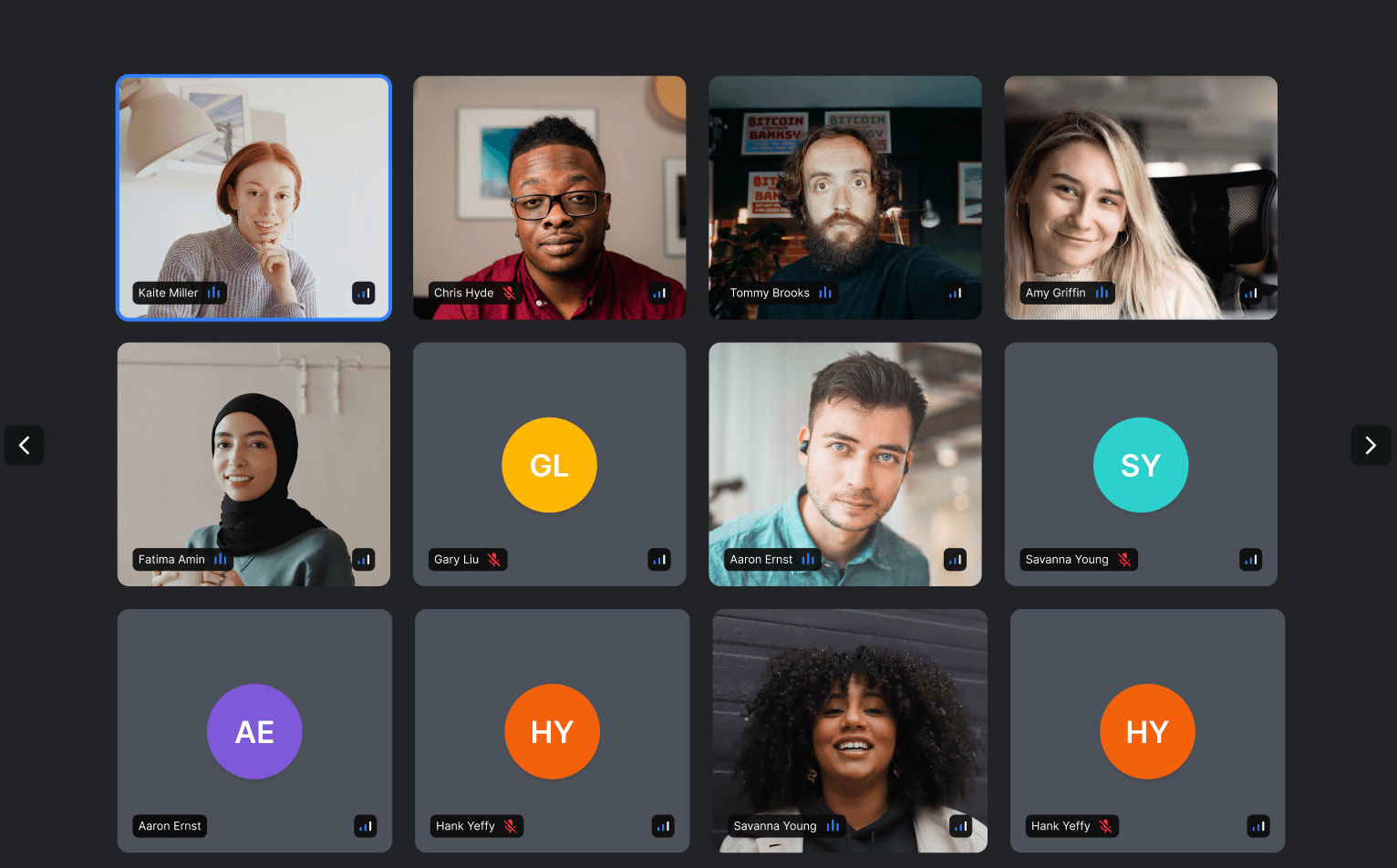
- **`PaginatedGridLayout`** - displays participants in a paginated grid
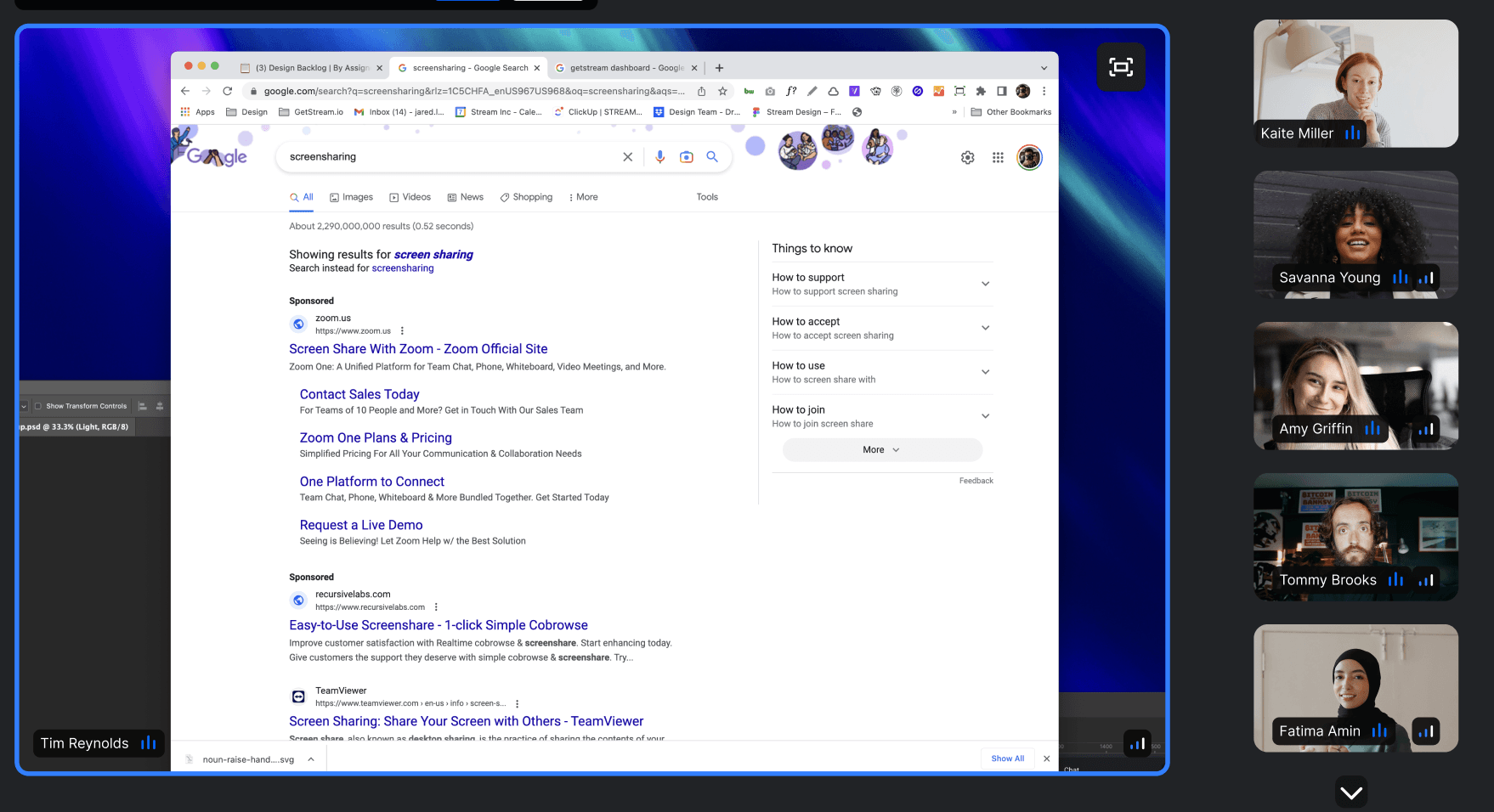
- **`SpeakerLayout`** - dominant speaker/screen share in focus, others in a bar
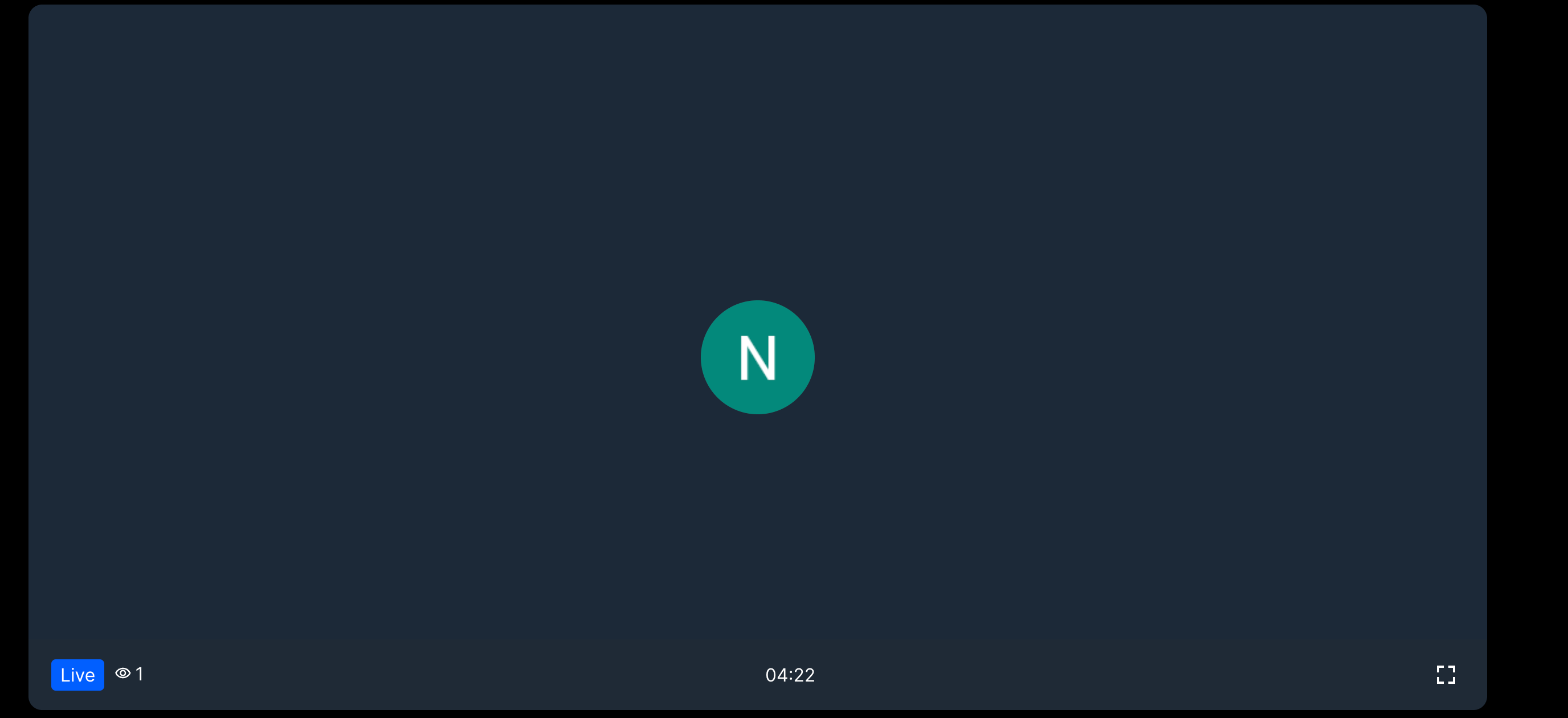
- **`LivestreamLayout`** - optimized for livestreaming with dominant speaker in large video
## Best Practices
- Use `SpeakerLayout` for meetings with screen sharing or presentations.
- Use `PaginatedGridLayout` for group calls where everyone is equal.
- Use `LivestreamLayout` for one-to-many broadcasts.
- Use `filterParticipants` to show only relevant participants (e.g., by role).
- Set `muted={true}` only when rendering `` separately.
## General usage
Layouts gather state via hooks - no state-related props needed:
```tsx {15}
import "@stream-io/video-react-sdk/dist/css/styles.css";
import {
CallControls,
StreamCall,
StreamTheme,
StreamVideo,
SpeakerLayout,
} from "@stream-io/video-react-sdk";
const MyApp = () => {
return (
);
};
```
```tsx {15}
import "@stream-io/video-react-sdk/dist/css/styles.css";
import {
CallControls,
StreamCall,
StreamTheme,
StreamVideo,
PaginatedGridLayout,
} from "@stream-io/video-react-sdk";
const MyApp = () => {
return (
);
};
```
## Built-in Layouts
### `PaginatedGridLayout`
#### Props
| Name | Description | Type |
| ----------------------------- | --------------------------------------------------------------------------------------------------------------------------------- | --------------------------------------------------------------------------------------------------------------------------------- |
| `groupSize` | The number of participants to display per page | `number` \| `undefined` |
| `excludeLocalParticipant` | Whether to exclude the local participant from the grid | `boolean` \| `undefined` |
| `filterParticipants` | Optional predicate or filter object to determine whether a participant should be displayed in the grid | `ParticipantPredicate` \| `ParticipantFilter` \| `undefined` |
| `mirrorLocalParticipantVideo` | Whether to mirror the user's own video (default `true`) | `boolean` \| `undefined` |
| `pageArrowsVisible` | Turns on/off the pagination arrows | `boolean` \| `undefined` |
| `muted` | Mutes all audio. Only use this if you render `` or `` manually somewhere else. | `boolean` |
| `ParticipantViewUI` | [See `ParticipantView` documentation](https://getstream.io/video/docs/react/ui-components/participants/participant-view/#participantviewui) | [See `ParticipantView` documentation](https://getstream.io/video/docs/react/ui-components/participants/participant-view/#participantviewui) |
| `VideoPlaceholder` | [See `ParticipantView` documentation](https://getstream.io/video/docs/react/ui-components/participants/participant-view/#videoplaceholder) | [See `ParticipantView` documentation](https://getstream.io/video/docs/react/ui-components/participants/participant-view/#videoplaceholder) |
| `PictureInPicturePlaceholder` | [See `ParticipantView` documentation](https://getstream.io/video/docs/react/ui-components/participants/participant-view/#pictureinpictureplaceholder) | [See `ParticipantView` documentation](https://getstream.io/video/docs/react/ui-components/participants/participant-view/#pictureinpictureplaceholder) |
#### Participant filtering
`PaginatedGridLayout` supports filtering displayed participants either with a predicate function:
```tsx
// Display only participants with the role "student":
p.roles.includes("student")}
/* ... */
/>
```
Or with a special filter object, which is similar in [syntax](https://getstream.io/docs/platform/query-syntax-operators/) to that of Mongoose:
```tsx
// Display only participants with either the role "student",
// or that are currently pinned:
```
### `SpeakerLayout`
#### Props
| Name | Description | Type |
| ----------------------------- | --------------------------------------------------------------------------------------------------------------------------------------------------------------------------- | --------------------------------------------------------------------------------------------------------------------------------- |
| `participantsBarPosition` | The position of the participants who are not in focus, the default is `bottom`. Providing `null` will hide the bar | `top` \| `bottom` \| `left` \| `right` \| `null` |
| `participantsBarLimit` | Limits the number of participants shown in the participants bar. Use `'dynamic'` to compute the limit automatically from the available space | `'dynamic'` \| `number` \| `undefined` |
| `excludeLocalParticipant` | Whether to exclude the local participant from the layout | `boolean` \| `undefined` |
| `filterParticipants` | Optional predicate or filter object to determine whether a participant should be displayed in the layout | `ParticipantPredicate` \| `ParticipantFilter` \| `undefined` |
| `mirrorLocalParticipantVideo` | Whether to mirror the user's own video (default `true`) | `boolean` \| `undefined` |
| `pageArrowsVisible` | Turns on/off the pagination arrows | `boolean` \| `undefined` |
| `muted` | Mutes all audio. Only use this if you render `` or `` manually somewhere else. | `boolean` |
| `enableDragToScroll` | Whether to enable drag to scroll functionality on the participants list. | `boolean` |
| `ParticipantViewUISpotlight` | The participant UI for the spotlight view, [see `ParticipantView` documentation](https://getstream.io/video/docs/react/ui-components/participants/participant-view/#participantviewui) | [See `ParticipantView` documentation](https://getstream.io/video/docs/react/ui-components/participants/participant-view/#participantviewui) |
| `ParticipantViewUIBar` | The participant UI for the participants in the bar, [see `ParticipantView` documentation](https://getstream.io/video/docs/react/ui-components/participants/participant-view/#participantviewui) | [See `ParticipantView` documentation](https://getstream.io/video/docs/react/ui-components/participants/participant-view/#participantviewui) |
| `VideoPlaceholder` | [See `ParticipantView` documentation](https://getstream.io/video/docs/react/ui-components/participants/participant-view/#videoplaceholder) | [See `ParticipantView` documentation](https://getstream.io/video/docs/react/ui-components/participants/participant-view/#videoplaceholder) |
| `PictureInPicturePlaceholder` | [See `ParticipantView` documentation](https://getstream.io/video/docs/react/ui-components/participants/participant-view/#pictureinpictureplaceholder) | [See `ParticipantView` documentation](https://getstream.io/video/docs/react/ui-components/participants/participant-view/#pictureinpictureplaceholder) |
#### Participant filtering
`SpeakerLayout` supports filtering displayed participants either with a predicate function:
```tsx
// Display only participants with the role "student":
p.roles.includes("student")}
/* ... */
/>
```
Or with a special filter object, which is similar in [syntax](https://getstream.io/docs/platform/query-syntax-operators/) to that of Mongoose:
```tsx
// Display only participants with either the role "student",
// or that are currently pinned:
```
### `LivestreamLayout`
#### Props
| Name | Description | Type |
| ----------------------------------- | --------------------------------------------------------------- | -------------------------------------------------------------------- |
| `muted` | Mutes all audio | `boolean` |
| `enableFullScreen` | Will render a button to enable fullscreen mode | `boolean` |
| `showParticipantCount` | Will show the number of participants | `boolean` |
| `humanizeParticipantCount` | Will humanize the participant count. E.g.: `1200 -> 1.2k` | `boolean` |
| `showDuration` | Will show the duration of the livestream | `boolean` |
| `showLiveBadge` | Will show a badge whether the livestream is live or not | `boolean` |
| `showSpeakerName` | Will show the name of the speaker | `boolean` |
| `showMuteButton` | Will show the speaker mute button | `boolean` |
| `mirrorLocalParticipantVideo` | Whether to mirror the user's own video (default `true`) | `boolean` |
| `ParticipantViewUI` | Custom UI rendered on top of the participant's video | `ComponentType` \| `ReactElement` \| `null` |
| `floatingParticipantProps` | Props to pass to the floating participant view | `object` |
| `floatingParticipantProps.position` | Position of the floating participant view (default `top-right`) | `'top-left'` \| `'top-right'` \| `'bottom-left'` \| `'bottom-right'` |
### `PipLayout`
A compound layout tuned for [Picture-in-Picture](https://getstream.io/video/docs/react/ui-cookbook/document-pip/) rendering, exported from `@stream-io/video-react-sdk`. It exposes three sub-components:
- `PipLayout.Pip` - the main PiP layout (accepts `filterParticipants` plus `ParticipantViewUI` / `VideoPlaceholder` from [`ParticipantView`](https://getstream.io/video/docs/react/ui-components/participants/participant-view/)).
- `PipLayout.Host` - renders the host/dominant participant.
- `PipLayout.Grid` - renders participants in a grid.
```tsx
import { PipLayout } from "@stream-io/video-react-sdk";
p.roles.includes("student")} />;
```
## Customization
If the [built-in layouts](#built-in-layouts) aren't what you're looking for, it's also possible to create your own layout, see our [Custom Call Layout guide](https://getstream.io/video/docs/react/ui-cookbook/video-layout/) for more information.
---
This page was last updated at 2026-08-10T16:01:04.469Z.
For the most recent version of this documentation, visit [https://getstream.io/video/docs/react/ui-components/call/call-layouts/](https://getstream.io/video/docs/react/ui-components/call/call-layouts/).