# Importing Data

Stream offers built-in tooling to help you migrate from your current chat provider while keeping the process smooth.

To import data into Stream, create an import file and upload it either through the dashboard or by using the CLI.

You can refer to the [File Format](/chat/docs/<framework>/import/#file-format) section below for details about the expected format.

To get started, you can [download a sample file](/_astro-assets/sample-import.jsonl) to familiarize yourself with the expected structure, and then import it using the [CLI](/chat/docs/<framework>/import/#import-with-the-cli).

## Import with the CLI

### 1. Install the CLI

The easiest way to install the Stream CLI is via Homebrew:

<codetabs>

<codetabs-item value="bash" label="Bash">

```bash
$ brew tap GetStream/stream-cli https://github.com/GetStream/stream-cli
$ brew install stream-cli
```

</codetabs-item>

</codetabs>

For other installation methods, see the [CLI Introduction](/chat/docs/<framework>/cli_introduction/).

### 2. Configure Authentication

Before using the CLI, you need to authenticate with your Stream credentials:

<codetabs>

<codetabs-item value="bash" label="Bash">

```bash
$ stream-cli config new
```

</codetabs-item>

</codetabs>

This will prompt you for your API key and secret, which can be found on the [Stream Dashboard](https://getstream.io/dashboard).

### 3. Upload a file

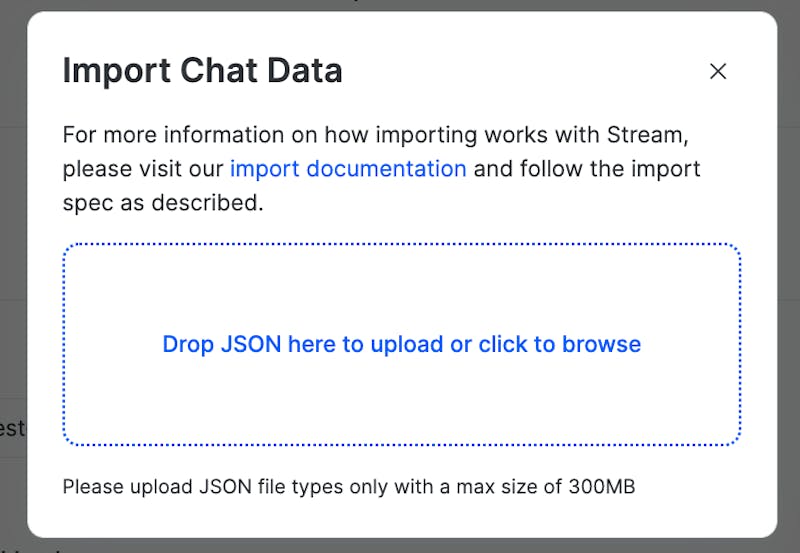
Once validated, upload your file to start the import. The maximum file size supported for upload is 300 MB.

<codetabs>

<codetabs-item value="bash" label="Bash">

```bash
$ stream-cli chat upload-import my-data.jsonl
{
  "created_at": "2022-05-16T09:02:37.991181Z",
  "path": "s3://stream-import/1171432/7e7fbaf4-e266-4877-96da-fbacf650d0a1/my-data.jsonl",
  "mode": "upsert",
  "id": "79502357-3f4b-486e-9a78-400a184a1088",
  "state": "uploaded",
  "size": 1230
}
```

</codetabs-item>

</codetabs>

You can also specify the import mode using `--mode insert` to only insert new items and skip existing ones.

### 4. Check Import Status

Monitor the status of your import using the import ID returned from the upload:

<codetabs>

<codetabs-item value="bash" label="Bash">

```bash
$ stream-cli chat get-import 79502357-3f4b-486e-9a78-400a184a1088
```

</codetabs-item>

</codetabs>

Use the `--watch` flag to continuously poll the import status until completion:

<codetabs>

<codetabs-item value="bash" label="Bash">

```bash
$ stream-cli chat get-import 79502357-3f4b-486e-9a78-400a184a1088 --watch
```

</codetabs-item>

</codetabs>

To list all imports for your application:

<codetabs>

<codetabs-item value="bash" label="Bash">

```bash
$ stream-cli chat list-imports
```

</codetabs-item>

</codetabs>

For more detailed descriptions of all CLI import commands, please refer to the [Stream CLI import docs](https://getstream.github.io/stream-cli/imports.html).

### Upsert vs Insert Mode

#### Upsert

The Upsert mode will import all the data on the file, including data that already exists on our system.

- If an item exists, only specific fields will be overwritten. See the **upserted** column in each type's field table for details.
- Custom data will be replaced.

<admonition type="warning">

Since some omitted fields may be overwritten, it is safest to include all the data you want to persist for each item.

</admonition>

#### Insert

The Insert mode will skip import items if they already exist.

- It will check for existence of an item by its unique identifier. If it exists it will be skipped, even if the fields provided differ from what exists in the database. For some types, the identifier is a composite key (e.g., members are identified by channel and user, reactions by message, user, and type).
- If it does not exist, the whole object will be inserted.
- This mode is **only available on the Stream CLI**.

## Import from the Dashboard

<admonition type="info">

While we work on improving the import experience, importing from the dashboard is temporarily disabled.  
Please use the [CLI](/chat/docs/<framework>/import/#import-with-the-cli) in the meantime.

</admonition>

<!-- Dashboard import documentation is commented for now until we have the new integration live. The doc should be updated accordingly.
<admonition type="info">

You are only allowed to import data for apps in [development mode](/chat/docs/<framework>/app_setting_overview/).

</admonition>

From the application `Overview` page, clik on `General`:

![](/data/docs/chat/_default/_assets/images/import_data_1.png)

Scroll down up to the `Data imports` section and clik on `New Import`:

![](/data/docs/chat/_default/_assets/images/import_data_2.png)

You will be presented with a modal asking for a JSON Lines (.jsonl) file. Please ensure you follow the [import format](/chat/docs/<framework>/import/#file-format) described below to avoid any errors.

![](/data/docs/chat/_default/_assets/images/import_data_3.png)

<admonition type="info">

The maximum file size supported for upload is 300 MB.

</admonition>

Once you have uploaded your file, scroll down on the chat overview page to see a ‘Data Import’ section. Here you can view some details about the file upload:

- The person who uploaded the file
- The date the file was uploaded
- The filename that was uploaded
- The current status of the upload

If your import fails validation on our end you can upload a new file by clicking on the ‘New Import’ button. To view more details of your import click on it within the list shown under ‘Data Imports’. This will show a modal where you can see the size of the import and a preview of the JSON Lines data that was uploaded.

### Import Flow

- **Validation:** Once the file validation begins, the status of the import job will update to `analyzing` .
- **Failure:** If validation is unsuccessful, the job moves to `analyze_failed` status. JSON with the validation results can be viewed to help correct errors. Once corrected, upload a new file, which will create a new job.
- **Success:** If successfully validated, the job moves to `waiting_confirmation` status.
- **Confirmation:** Our support team will manually confirm the job, and the import will start immediately.
- **Completion:** A `completed` status means the data has been imported and will be visible on the dashboard explorer, or through API query.

<admonition type="info">

The confirmation step is **required** for imports made through the dashboard. If you want to bypass this step, you can use the [Stream CLI](/chat/docs/<framework>/import/#importing-with-cli-tool).

</admonition>

![](https://getstream.imgix.net/docs/chatDataImportStateDiagram.png?auto=compress&fit=clip&w=800&h=600)

An error-free file can be imported quickly. Depending on the size and complexity of the data, the import typically completes within a few hours. You can track progress by monitoring the import status.
 -->

## File Format

As you prepare your import file, keep the following requirements in mind—otherwise the import may fail during validation.

- **File Structure:** The file should be generated using the [JSON Lines](https://jsonlines.org/) format, where each line in the file should be a valid JSON object. Each object represents one item of type `user`, `device`, `channel`, `member`, `message`, `reaction`, or `future_channel_ban` that will be imported into your application.

- **Item order:** Items in the file should be in a specific order, otherwise the validation step will fail. This order makes reference validation more efficient.  
  For a Chat import, the items in the file should be defined in the following order:
  - users
  - devices
  - future_channel_ban
  - channels
  - members
  - messages
  - reactions

- **Object References:** Every object you reference in the import should either appear as its own object in the file, or the record should already exist in your Stream application.  
  For example, if you import a message that references a `user_id`, your import file may include a separate user with the same ID, or this user should already exist in your application with the same ID.  
  This part of the validation process can be tricky, especially with large files. Be cautious with this as it can cause the import to fail.

- **Read State:** By default, all imported messages will be marked as read. If you provide the last_read timestamp on a member item, then that member’s unread count will be determined based on the amount of messages that have been created after the last_read timestamp.

- **Distinct Channels:** Distinct channels are channels that are created by providing a list of member IDs rather than a channel ID. Under the hood, our API generates a unique channel ID from the member IDs. To import a distinct channel, include the `member_ids` field and omit the `id` field entirely.

- **Timestamps:** All timestamps must use the same format as the API ([RFC 3339](https://www.rfc-editor.org/rfc/rfc3339#section-5.8)), for example: `1985-04-12T23:20:50.52Z`.

## Object format

As mentioned earlier, each line in the file should be a valid JSON object with the following format:

| Name | Value  | Description                                                                                                 |
| ---- | ------ | ----------------------------------------------------------------------------------------------------------- |
| type | string | the item type for this object, allowed values: `user`, `device`, `channel`, `member`, `message`, `reaction` |
| data | object | the data for this object, see below for the format of each type                                             |

Here's an example of a valid file:

<codetabs>

<codetabs-item value="json" label="JSON">

```json
{"type":"user","data":{"id":"user_001","name":"Jesse","image":"http://getstream.com","created_at":"2017-01-01T01:00:00Z","role":"moderator","invisible":true,"description":"Taj Mahal guitar player at some point"}}
{"type":"device","data":{"id":"device_001","user_id":"user_001","push_provider_type":"firebase","push_provider_name":"firebase"}}
{"type":"channel","data":{"id":"channel_001","type":"messaging","created_by":"user_001","name":"Rock'n Roll Circus"}}
{"type":"member","data":{"channel_type":"messaging","channel_id":"channel_001","user_id":"user_001","is_moderator":true,"created_at":"2017-02-01T02:00:00Z"}}
{"type":"message","data":{"id":"message_001","channel_type":"messaging","channel_id":"channel_001","user":"user_001","text":"Learn how to build a chat app with Stream","type":"regular","created_at":"2017-02-01T02:00:00Z","attachments":[{"type":"video","asset_url":"https://www.youtube.com/watch?v=o-am4BY-dhs","image_url":"https://i.ytimg.com/vi/o-am4BY-dhs/mqdefault.jpg","thumb_url":"https://i.ytimg.com/vi/o-am4BY-dhs/mqdefault.jpg"}]}}
{"type":"reaction","data":{"message_id":"message_001","type":"love","user_id":"user_001","created_at":"2019-03-02T15:00:00Z"}}
```

</codetabs-item>

</codetabs>

## Data format

<admonition type="info">

All time fields should be in **RFC 3339** format

</admonition>

<admonition type="info">

Note that you can add custom fields to users, channels, members, messages (including attachments) and reactions. The limit is 5KB of custom field data per object.

</admonition>

### User Type

The `user` type fields are shown below:

| name             | type                | description                                                                                                                                                                                                                                                                                                                   | required | upserted |
| ---------------- | ------------------- | ----------------------------------------------------------------------------------------------------------------------------------------------------------------------------------------------------------------------------------------------------------------------------------------------------------------------------- | -------- | -------- |
| blocked_user_ids | array               | list of blocked users (only user IDs)                                                                                                                                                                                                                                                                                         |          | ✓        |
| channel_mutes    | array               | list of muted channels (only channel CIDs)                                                                                                                                                                                                                                                                                    |          |          |
| created_at       | string              | creation time (default to import time)                                                                                                                                                                                                                                                                                        |          | ✓        |
| deactivated_at   | string              | [deactivation](/chat/docs/<framework>/update_users/#deactivate-a-user) time                                                                                                                                                                                                                                                   |          | ✓        |
| deleted_at       | string              | deletion time                                                                                                                                                                                                                                                                                                                 |          | ✓        |
| id               | string              | unique user ID (**required**)                                                                                                                                                                                                                                                                                                 | ✓        |          |
| invisible        | boolean             | [visibility](/chat/docs/javascript/presence_format/#invisible) state (default to `false`)                                                                                                                                                                                                                                     |          | ✓        |
| language         | string              | [language](/chat/docs/<framework>/translation/#set-user-language)                                                                                                                                                                                                                                                             |          | ✓        |
| privacy_settings | object              | control user's privacy settings: [delivery receipts](/chat/docs/<framework>/message-delivery-and-read-status/#enabling-delivery-receipts), [typing indicators](/chat/docs/<framework>/typing_indicators/#typing-privacy-settings) and [read receipts](/chat/docs/<framework>/message-delivery-and-read-status/#read-receipts) |          | ✓        |
| push_preferences | object              | [push preferences](/chat/docs/<framework>/push_preferences/#chat-push-preferences-support-three-levels-of-notifications)                                                                                                                                                                                                      |          | ✓        |
| role             | string              | the user's role (default to `user`)                                                                                                                                                                                                                                                                                           |          | ✓        |
| teams            | array               | list of teams the user is part of                                                                                                                                                                                                                                                                                             |          | ✓        |
| teams_role       | object              | mapping of teams to user roles ([see more](/chat/docs/<framework>/multi_tenant_chat/#team-based-roles))                                                                                                                                                                                                                       |          | ✓        |
| user_mutes       | array               | list of muted users (only user IDs)                                                                                                                                                                                                                                                                                           |          |          |
| \*               | string/array/object | add as many custom fields as needed (up to 5 KiB)                                                                                                                                                                                                                                                                             |          | ✓        |

<!-- prettier-ignore-start -->
<!-- do not format this block to keep the one line object -->
<codetabs>

<codetabs-item value="user" label="Basic User">

```json
{"type":"user","data":{"id":"user_001","name":"Jesse","image":"http://getstream.com","created_at":"2017-01-01T01:00:00Z","role":"moderator","invisible":true,"teams":["admins"],"teams_role":{"admins":"team_moderator"},"description":"Taj Mahal guitar player at some point"}}
```

</codetabs-item>

<codetabs-item value="user-privacy-settings" label="Privacy Settings">

```json
{"type":"user","data":{"id":"user_001","privacy_settings":{"delivery_receipts":{"enabled":true},"typing_indicators":{"enabled":true},"read_receipts":{"enabled":true}}}}
```

</codetabs-item>

<codetabs-item value="user-push" label="Push Preferences">

```json
{"type":"user","data":{"id":"user_001","push_preferences":{"chat_level":"mentions","disabled_until":"2042-01-01T00:00:01Z"}}}
```

</codetabs-item>

</codetabs>

<!-- prettier-ignore-end -->

### Device Type

Importing devices is the equivalent of [registering devices](/chat/docs/<framework>/push_devices/) with Stream.

This is useful when migrating from another chat provider to Stream because:

- Users already have devices registered for push notifications
- You want to preserve these registrations so users continue receiving notifications immediately after migration
- Without importing devices, users would miss notifications until they open the app again

The `device` type fields are shown below:

| name               | type   | description                                                          | required | upserted |
| ------------------ | ------ | -------------------------------------------------------------------- | -------- | -------- |
| created_at         | string | creation time (default to import time)                               |          | ✓        |
| id                 | string | unique device id                                                     | ✓        |          |
| push_provider_type | string | must be one of the following: `firebase`, `apn`, `huawei` or`xiaomi` | ✓        | ✓        |
| push_provider_name | string | name that matches the Push Configuration on your app                 | ✓        | ✓        |
| user_id            | string | user ID                                                              | ✓        |          |

<!-- prettier-ignore-start -->
<!-- do not format this block to keep the one line object -->
<codetabs>

<codetabs-item value="jsonl" label="JSONL">

```json
{"type":"device","data":{"id":"device_001","user_id":"user_001","created_at": "2019-01-11T02:00:00Z","push_provider_type":"firebase","push_provider_name":"production-firebase-config"}}
```

</codetabs-item>

</codetabs>

<!-- prettier-ignore-end -->

### Channel Type

The `channel` type fields are shown below:

| name         | type               | description                                                                                                                                   | required | upserted |
| ------------ | ------------------ | --------------------------------------------------------------------------------------------------------------------------------------------- | -------- | -------- |
| banned_users | array              | list of banned users (only user IDs)                                                                                                          |          |          |
| created_at   | string             | creation time (default to import time)                                                                                                        |          | ✓        |
| created_by   | string             | user who created the channel (user ID)                                                                                                        | ✓        | ✓        |
| disabled     | boolean            | [disabled](/chat/docs/<framework>/disabling_channels/) status (default to `false`)                                                            |          | ✓        |
| frozen       | boolean            | [frozen](/chat/docs/<framework>/freezing_channels/) status (default to `false`)                                                               |          | ✓        |
| id           | string             | unique channel ID (**required only if `member_ids` is not provided**)                                                                         | ✓        |          |
| member_ids   | array              | user IDs used for [distinct channels](/chat/docs/<framework>/creating_channels#distinct-channels) (**required only if `id` is not provided**) |          |          |
| team         | string             | channel [team](/chat/docs/<framework>/multi_tenant_chat/#teams)                                                                               |          | ✓        |
| truncated_at | string             | [truncation](/chat/docs/<framework>/truncate_channel/) time                                                                                   |          | ✓        |
| type         | string             | [channel type](/chat/docs/<framework>/channel_features) (**required**)                                                                        | ✓        |          |
| \*           | string/list/object | add as many custom fields as needed (up to 5 KiB)                                                                                             |          | ✓        |

<!-- prettier-ignore-start -->
<!-- do not format this block to keep the one line object -->
<codetabs>

<codetabs-item value="channel_id" label="Channel ID">

```json
// with channel ID
{"type": "channel","data": {"id": "channel_001","type": "livestream","created_by": "user_001","name": "Rock'n Roll Circus"}}
```

</codetabs-item>

<codetabs-item value="distinct_members" label="Distinct channel">

```json
// with member_ids
{"type": "channel","data":{"member_ids":["user_001","user_002"],"type":"livestream","created_by":"user_001","name":"Rock'n Roll Circus"}}
```

</codetabs-item>

</codetabs>

<!-- prettier-ignore-end -->

### Member Type

Channel members store the mapping between users and channels. The fields are shown below:

| name                 | type               | description                                                                                                                              | required | upserted |
| -------------------- | ------------------ | ---------------------------------------------------------------------------------------------------------------------------------------- | -------- | -------- |
| archived_at          | string             | time when the channel was [archived](/chat/docs/<framework>/archiving_channels)                                                          |          | ✓        |
| channel_id           | string             | channel ID (**required only if `channel_member_ids` is not provided**)                                                                   | ✓        |          |
| channel_role         | string             | member role (default to `channel_member`)                                                                                                |          | ✓        |
| channel_type         | string             | channel type                                                                                                                             | ✓        |          |
| created_at           | string             | creation time (default to import time)                                                                                                   |          | ✓        |
| channel_member_ids   | array              | user IDs for [distinct channels](/chat/docs/<framework>/creating_channels#distinct-channels) (**required only if `id` is not provided**) | ✓        |          |
| hide_channel         | boolean            | [hidden](/chat/docs/<framework>/hiding_channels/) status (default to `false`)                                                            |          |          |
| hide_messages_before | string             | messages will be hidden before this time                                                                                                 |          | ✓        |
| invited              | boolean            | whether the user was invited (default to `false`)                                                                                        |          | ✓        |
| invited_accepted_at  | string             | time when the user accepted the invite                                                                                                   |          | ✓        |
| invited_rejected_at  | string             | time when the user rejected the invite                                                                                                   |          | ✓        |
| last_read            | string             | last time the member read the channel                                                                                                    |          |          |
| user_id              | string             | user ID                                                                                                                                  | ✓        |          |
| \*                   | string/list/object | add as many custom fields as needed (up to 5 KiB)                                                                                        |          | ✓        |

<admonition type="info">

If your app uses multi-tenancy, the referenced `channel` and `user` items must have a matching team.

</admonition>

<!-- prettier-ignore-start -->
<!-- do not format this block to keep the one line object -->
<codetabs>

<codetabs-item value="channel_id" label="Member with channel ID">

```json
{"type":"member","data":{"channel_id":"channel_001","channel_type":"livestream","user_id":"user_001","channel_role":"channel_member","created_at":"2017-02-01T02:00:00Z"}}
```

</codetabs-item>

<codetabs-item value="distinct_members" label="Member with distinct channel">

```json
{"type":"member","data":{"channel_member_ids":["user_001","user_002"],"channel_type":"livestream","user_id":"user_001","channel_role":"channel_member","created_at": "2017-02-01T02:00:00Z"}}
```

</codetabs-item>

</codetabs>

<!-- prettier-ignore-end -->

### Message Type

The `message` type fields are shown below:

| name                  | type               | description                                                                                                                              | required | upserted |
| --------------------- | ------------------ | ---------------------------------------------------------------------------------------------------------------------------------------- | -------- | -------- |
| attachments           | array              | message attachments, see the attachment section below                                                                                    |          | ✓        |
| channel_id            | string             | channel ID (**required only if `channel_member_ids` is not provided**)                                                                   | ✓        | ✓        |
| channel_member_ids    | list of strings    | user IDs for [distinct channels](/chat/docs/<framework>/creating_channels#distinct-channels) (**required only if `id` is not provided**) | ✓        | ✓        |
| channel_type          | string             | channel type                                                                                                                             | ✓        | ✓        |
| created_at            | string             | creation time (default to import time)                                                                                                   |          | ✓        |
| deleted_at            | string             | deletion time                                                                                                                            |          | ✓        |
| html                  | string             | safe HTML generated from the text                                                                                                        |          | ✓        |
| id                    | string             | unique message ID                                                                                                                        | ✓        |          |
| mentioned_users_ids   | array              | mentioned user IDs                                                                                                                       |          | ✓        |
| parent_id             | string             | parent message ID (`type` should be `"reply"`)                                                                                           |          | ✓        |
| pin_expires           | string             | time when pin expires (requires `pinned_at` and `pinned_by_id`)                                                                          |          | ✓        |
| pinned_at             | string             | time when message was pinned (requires `pin_expires` and `pinned_by_id`)                                                                 |          | ✓        |
| pinned_by_id          | string             | pinned_by user ID (requires `pinned_at` and `pin_expires`)                                                                               |          | ✓        |
| quoted_message_id     | string             | quoted message ID                                                                                                                        |          | ✓        |
| restricted_visibility | array              | user IDs that can see this message (see [documentation](/chat/docs/<framework>/private_messaging) for more information)                  |          | ✓        |
| show_in_channel       | bool               | define if reply should be shown in the channel as well (default to `false`)                                                              |          | ✓        |
| text                  | string             | message text                                                                                                                             |          | ✓        |
| type                  | string             | message type (available type: `regular`, `reply`, `deleted` or `system`)                                                                 | ✓        | ✓        |
| user                  | string             | user ID who posted the message                                                                                                           | ✓        | ✓        |
| \*                    | string/list/object | add as many custom fields as needed (up to 5 KiB)                                                                                        |          | ✓        |

<!-- prettier-ignore-start -->
<!-- do not format this block to keep the one line object -->
<codetabs>

<codetabs-item value="json" label="JSON">

```json
{"type":"message","data":{"id":"message_001","channel_type":"livestream","channel_id":"channel_001","user":"user_001","text":"Such a great song, check out my solo at 2:25","type":"regular","created_at":"2017-02-01T02:00:00Z"}}
```

</codetabs-item>

</codetabs>

<!-- prettier-ignore-end -->

#### Message Attachments

The attachments are a great way to extend Stream's functionality. If you want to have a custom product attachment, location attachment, checkout, etc., attachments are the way to go.  
The fields below are automatically picked up and shown by our component libraries.

<admonition type="info">

Note that all attachment URLs must be publicly accessible, otherwise the import will fail.

</admonition>

| name              | type               | description                                                            | required |
| ----------------- | ------------------ | ---------------------------------------------------------------------- | -------- |
| asset_url         | string             | URL to the audio, video, or image resource                             |          |
| image_url         | string             | URL to the attached image                                              |          |
| migrate_resources | boolean            | if `true`, attachment will be migrated to our CDN (default to `false`) |          |
| thumb_url         | string             | URL to the attachment thumbnail (recommended for images and videos)    |          |
| type              | string             | attachment type (built-in types: `audio`, `video`, `image` and `text`) |          |
| \*                | string/list/object | add as many custom fields as needed (up to 5 KiB)                      |          |

<!-- prettier-ignore-start -->
<!-- do not format this block to keep the one line object -->
<codetabs>

<codetabs-item value="json" label="JSON">

```json
{"type":"message","data":{...,"attachments":[{"type":"image","image_url":"https://my.domain.com/image.jpg","thumb_url":"https://my.domain.com/image-thumb.jpg"},{"type":"video","asset_url":"https://my.domain.com/video.mp4","thumb_url":"https://my.domain.com/video-thumb.jpg"}]}}
```

</codetabs-item>

</codetabs>

<!-- prettier-ignore-end -->

For attachment migration, only `image_url`, `thumb_url` and `asset_url` fields will be migrated to our CDN and the original URL will be replaced with the new one. The files should not be empty. The import will fail if resource migration fails. In the error you can see the URL and message ID for the failed migration.

### Reaction Type

The `reaction` type fields are shown below:

| name       | type               | description                                       | required | upserted |
| ---------- | ------------------ | ------------------------------------------------- | -------- | -------- |
| created_at | string             | creation time                                     | ✓        | ✓        |
| message_id | string             | message ID                                        | ✓        |          |
| type       | string             | reaction type                                     | ✓        |          |
| user_id    | string             | user ID                                           | ✓        |          |
| \*         | string/list/object | add as many custom fields as needed (up to 5 KiB) |          | ✓        |

<!-- prettier-ignore-start -->
<!-- do not format this block to keep the one line object -->
<codetabs>

<codetabs-item value="json" label="JSON">

```json
{"type":"reaction","data":{"message_id":"message_001","type":"love","user_id":"user_001","created_at":"2019-03-02T15:00:00Z"}}
```

</codetabs-item>

</codetabs>

<!-- prettier-ignore-end -->

### Future Channel Ban Type

The `future_channel_ban` type fields are shown below:

| name       | type    | description                                     | required | upserted |
| ---------- | ------- | ----------------------------------------------- | -------- | -------- |
| created_at | string  | creation time                                   |          | ✓        |
| created_by | string  | user ID who initiated this future channel ban   | ✓        |          |
| target_id  | string  | user ID who will be ban for all future channels | ✓        |          |
| shadow     | boolean | determine if the future channel ban is shadowed |          | ✓        |
| reason     | string  | determine the reason for the ban                |          | ✓        |

<!-- prettier-ignore-start -->
<!-- do not format this block to keep the one line object -->
<codetabs>

<codetabs-item value="json" label="JSON">

```json
{"type":"future_channel_ban","data":{"created_by":"user_001","target_id":"user_002","shadow":true,"created_at":"2019-03-02T15:00:00Z"}}
```

</codetabs-item>

</codetabs>

<!-- prettier-ignore-end -->

## Validation

We use **[JSON Schema](https://json-schema.org/)** to define and validate the structure of our data.  
The Chat schema files are available **[here](https://github.com/GetStream/protocol/tree/d29b9ca915d05ea0c11ed2e2df6f47f5ae542c5c/jsonschemas)**.

These schema files cover approximately **99% of our validation rules**. Some validations depend on your specific configuration, such as **[custom permission policies](/chat/docs/<framework>/chat_permission_policies)** or **[custom channel type configurations](/chat/docs/<framework>/channel_features)**.

To validate that your data is in the correct format, you can either:

- validate the data on the fly (while the data is generated), or
- validate the data once the file is generated

There are many **[JSON Schema validators](https://json-schema.org/tools?query=&sortBy=name&sortOrder=ascending&groupBy=toolingTypes&licenses=&languages=&drafts=&toolingTypes=&environments=&showObsolete=false&supportsBowtie=false#validator)** available for different programming languages that you can use to validate your data.

## Error Messages

When problems occur during analysis, they will show up in the dashboard. A list of errors will be shown in JSON format. Where applicable, the offending item will be included, for example:

<codetabs>

<codetabs-item value="json" label="JSON">

```json
{
  "errors": [
    {
      "error": "Validation error: max channelID length exceeded (64)",
      "item_type": "channel",
      "item": {
        "id": "waytoolongwaytoolongwaytoolongwaytoolongwaytoolongwaytoolongwaytoolong",
        "type": "messaging",
        "created_by": "userA-7D3CA510-CB3C-479E-B5FA-69FC2D48410F",
        "created_at": "0001-01-01T00:00:00Z",
        "updated_at": "0001-01-01T00:00:00Z"
      }
    }
  ],
  "stats": {
    "total": {
      "messages": 0,
      "members": 0,
      "reactions": 0,
      "channels": 1,
      "users": 0
    }
  }
}
```

</codetabs-item>

</codetabs>

| Error                                                                                                                             | Description                                                                                                                       |
| --------------------------------------------------------------------------------------------------------------------------------- | --------------------------------------------------------------------------------------------------------------------------------- |
| Validation error: max "`field`" length exceeded (`field-length`)                                                                  | Maximum length of field exceeded                                                                                                  |
| Validation error: either channel.id or channel.member_ids should be provided, but not both                                        | Either define channel as a regular channel or a distinct channel, but not both                                                    |
| Validation error: channel.id or channel.member_ids required, but not both                                                         | At least one of `channel.id` or `channel.member_ids` must be provided                                                             |
| Validation error: "`field`" required                                                                                              | Missing required field                                                                                                            |
| Validation error: "`field`" is a reserved field                                                                                   | Field provided is reserved                                                                                                        |
| Validation error: duplicated `item` "`id`"                                                                                        | Item and id combination is duplicated                                                                                             |
| Validation error: created_by user `id` doesn't exist (channel "messaging:abc"). please include all users as separate user entries | All users referenced by all objects, for example in `channel.created_by`, should be included in the import file                   |
| Validation error: '_value_' is not a valid _field_                                                                                | The value provided for a particular field is not valid. For example, a `channel.id` contains invalid characters                   |
| Validation error: user `id` with teams `X` cannot be a member of channel `Y` with team `Z`                                        | The member item references a user and channel that do not have a matching team                                                    |
| Parse error: invalid item type "foobar"                                                                                           | An item was included with an invalid item type, only: `user`, `device`, `channel`, `member`, `message` and `reaction` are allowed |
| Parse error: invalid character ',' looking for beginning of value                                                                 | The import contains malformed JSON                                                                                                |

This is not an exhaustive list of possible errors, but these are the most common ones.


---

This page was last updated at 2026-03-13T13:17:25.416Z.

For the most recent version of this documentation, visit [https://getstream.io/chat/docs/unreal/import/](https://getstream.io/chat/docs/unreal/import/).