# Theming
> **Info:** This is release candidate documentation for **Stream Chat React SDK v15**. For the latest stable version, see the [latest version (v14)](https://getstream.io/chat/docs/sdk/react/).
The SDK's look comes from one stylesheet and a set of CSS variables, its design tokens. Setting one token changes everything that reads it: `--str-chat__accent-primary` alone recolors the primary buttons, the read receipts, the badges, and the selected checkboxes and switches. Replace a component through `WithComponents` when you need different markup; for colors, shapes, spacing and fonts, change the tokens.
## Importing the stylesheet
Import the default stylesheet once, at your app's entry point:
```tsx
import "stream-chat-react/dist/css/index.css";
```
`index.css` styles the components and the layout from `stream-chat-react/slot-layout`. The optional parts, such as channel details, the emoji picker and the AI components, have stylesheets of their own, imported after it. [Entry points and CSS files](https://getstream.io/chat/docs/sdk/react/v15/reference/entry-points-and-css-files/) lists them.
Imported this way, your own CSS competes with the SDK's on specificity. To make your rules win without matching the SDK's selectors, load the stylesheet into a cascade layer instead.
## CSS layers
A [cascade layer](https://developer.mozilla.org/en-US/docs/Web/CSS/@layer) is a named group of CSS rules. Layers declared earlier lose to layers declared later, and any rule outside a layer beats every rule inside one, whatever the selectors' specificity.
Put the SDK's styles in a layer, and your overrides in a later one. This has to happen in a CSS file, because a JavaScript `import` of a stylesheet can't name a layer:
```css title="src/chat.css"
@layer stream, stream-overrides;
@import "stream-chat-react/dist/css/index.css" layer(stream);
@import "stream-chat-react/dist/css/channel-detail.css" layer(stream);
@layer stream-overrides {
.str-chat {
--str-chat__accent-primary: #0d47a1;
}
}
```
```tsx title="src/main.tsx"
import "./chat.css";
```
1. `@layer stream, stream-overrides;` declares the order: `stream` first, so `stream-overrides` wins over it.
2. Each `@import` puts a stylesheet into the `stream` layer. An `@import` has to come before any other rule in the file, apart from `@layer` statements.
3. Rules in `stream-overrides` win over the SDK's rules, even when the SDK's selector is more specific.
Your other app styles can stay outside any layer. They beat both layers.
The examples on the rest of this page put their rules in `stream-overrides`.
## Design tokens
The tokens are CSS variables named `--str-chat__*`. The stylesheet declares them on every element with the class `str-chat`: the root of `ChatView`, the root of `Channel`, the channel list's theme scope outside `ChatView`, and the overlay of each modal. Override them on `.str-chat` too.
The channel list's theme scope gives it the tokens when no `ChatView` is around it. Outside `ChatView`, the root of `ChannelNavigation` gets the `str-chat` and `theme` classes, and a `ChannelList` rendered on its own is wrapped in a `div` with those classes and `str-chat__theme-scope`, which has `display: contents` so it doesn't change the layout. Inside `ChatView`, the list adds no `str-chat` element of its own, so the tokens you set on `ChatView`'s root reach it.
They come in tiers, and each tier is built from the one above it:
1. **Palette.** Raw colors such as `--str-chat__blue-500` and `--str-chat__slate-100`, and the two ramps the rest is built from: `--str-chat__brand-50` to `--str-chat__brand-900`, built from the blues, and `--str-chat__chrome-0` to `--str-chat__chrome-1000`, built from the grays.
2. **Semantic tokens.** What a value is for: `--str-chat__accent-primary`, `--str-chat__text-primary`, `--str-chat__background-core-app`, `--str-chat__border-core-default`. The scales for radius, spacing and type are in this tier too, such as `--str-chat__radius-max` and `--str-chat__spacing-md`.
3. **Component tokens.** One part of one kind of component: `--str-chat__chat-bg-outgoing` for the background of the user's own message bubbles, `--str-chat__avatar-bg-default`, `--str-chat__button-primary-bg`.
4. **Component variables.** Declared in a component's own stylesheet, mostly sizes: `--str-chat__message-max-width`, `--str-chat__channel-list-width`.
For example, in the light theme `--str-chat__accent-primary` is `var(--str-chat__brand-500)`, and `--str-chat__button-primary-bg` is `var(--str-chat__accent-primary)`. Override the tier whose reach you want: the accent changes everything that uses the accent, and the button token changes only the button.
To change the brand color everywhere, including the tints of message bubbles and links, give `--str-chat__blue-50` to `--str-chat__blue-900` your brand's shades. Both themes build the brand ramp from them, the dark theme in the opposite direction, so one set of values recolors both. The first of the avatar colors uses them too.
Every token is listed in the reference: [Palette variables](https://getstream.io/chat/docs/sdk/react/v15/reference/theming-variables/palette-variables/), [Global variables](https://getstream.io/chat/docs/sdk/react/v15/reference/theming-variables/global-variables/) and [Component variables](https://getstream.io/chat/docs/sdk/react/v15/reference/theming-variables/component-variables/).
### Changing colors and shapes
Here is the default UI:
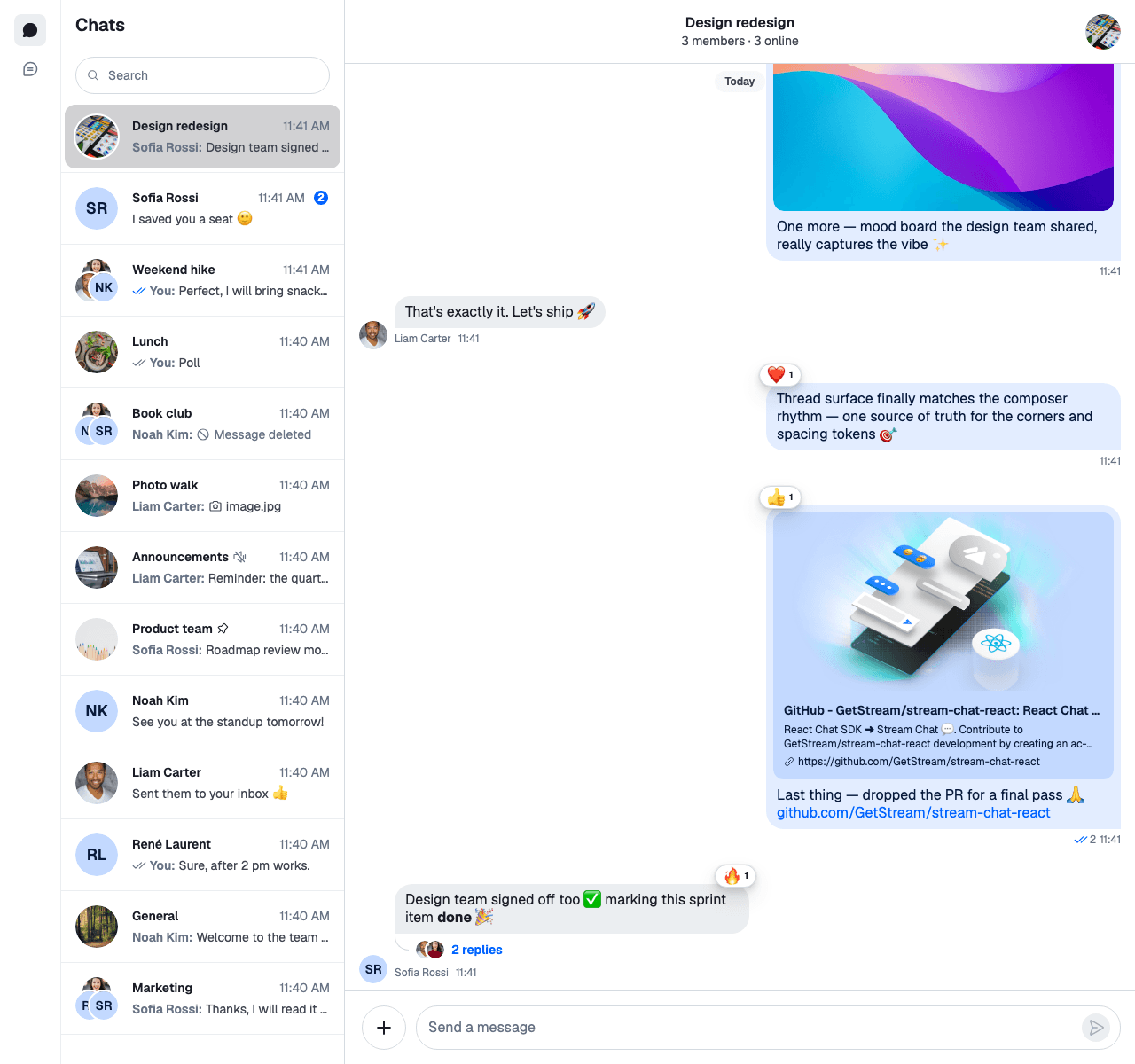
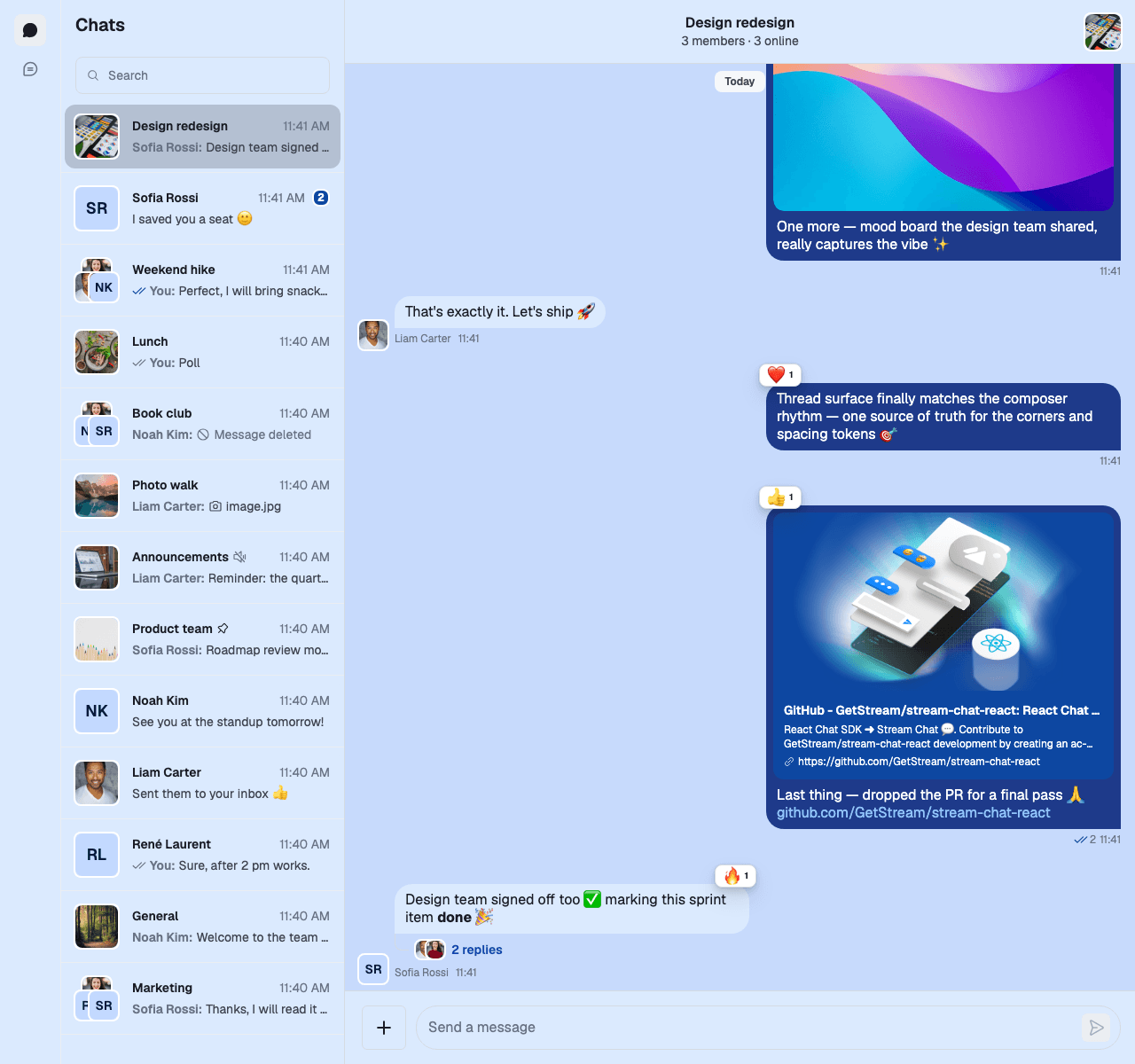
These overrides change the accent, the message bubbles, the links, the panel backgrounds, the focus ring and the corner radius:
```css
@layer stream-overrides {
.str-chat {
/* Accent: primary buttons, read receipts, badges, attachment actions */
--str-chat__accent-primary: #0d47a1;
/* Message bubbles */
--str-chat__chat-bg-outgoing: #1e3a8a;
--str-chat__chat-bg-attachment-outgoing: #0d47a1;
--str-chat__chat-bg-incoming: #dbeafe;
--str-chat__chat-text-outgoing: #ffffff;
--str-chat__chat-reply-indicator-outgoing: #93c5fd;
/* Links, inside message bubbles and elsewhere */
--str-chat__text-link: #1e40af;
--str-chat__chat-text-link: #93c5fd;
/* Panel backgrounds */
--str-chat__background-core-elevation-1: #dbeafe; /* channel list, headers, composer */
--str-chat__background-core-app: #c7dafc; /* message list */
/* Focus ring */
--str-chat__border-utility-focused: #1e40af;
/* Corner radius of rounded elements, and of pill-shaped buttons */
--str-chat__radius-max: 8px;
--str-chat__button-radius-full: 6px;
}
}
```
Here is the result:
### Changing one component
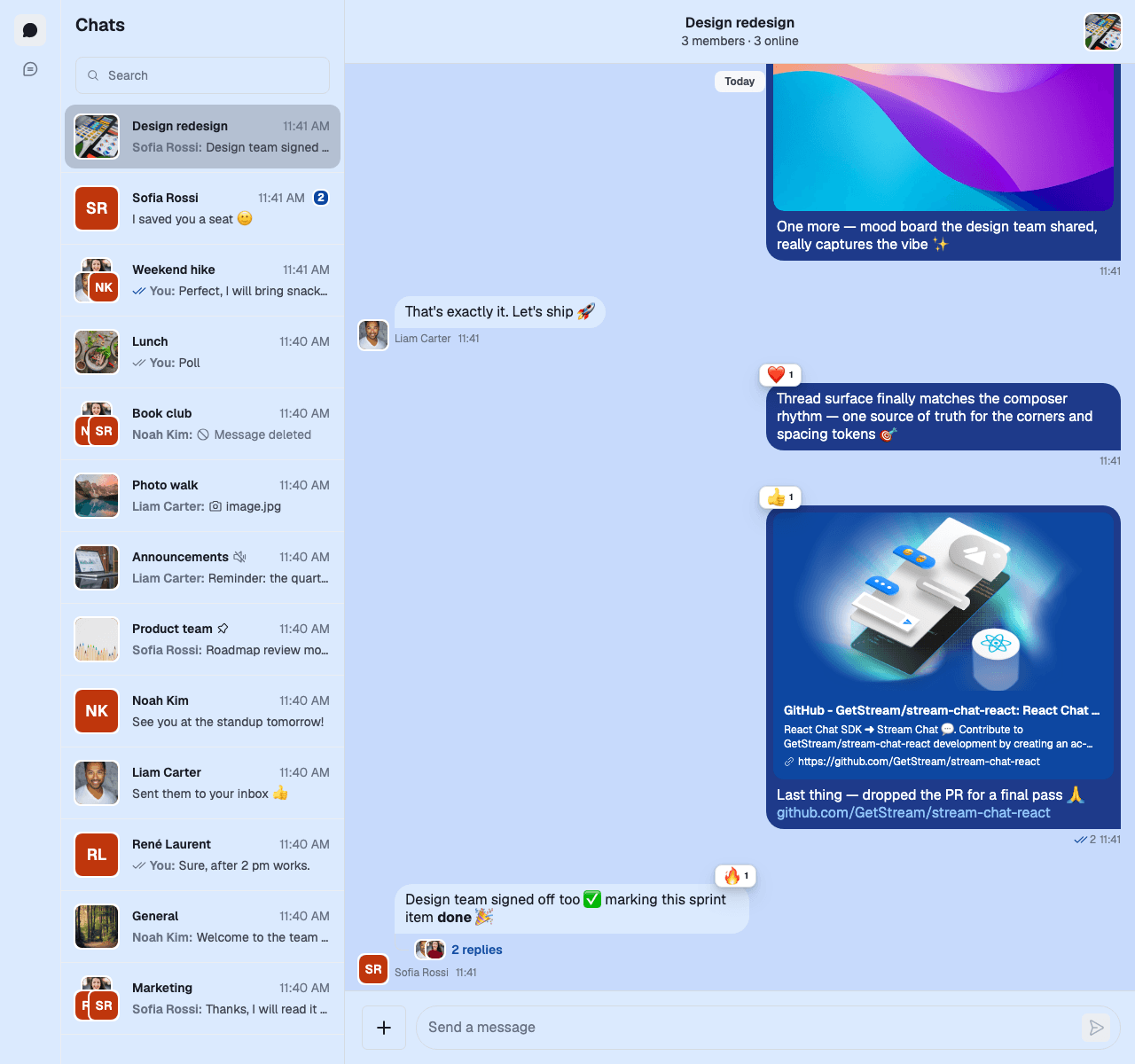
A component token changes one kind of component and nothing else. These two set the avatar colors:
```css
@layer stream-overrides {
.str-chat {
--str-chat__avatar-bg-default: #bf360c;
--str-chat__avatar-text-default: #ffffff;
}
}
```
Here they are on top of the previous example:
Component variables work the same way. This one lets message bubbles grow wider than the default 400px:
```css
@layer stream-overrides {
.str-chat {
--str-chat__message-max-width: 560px;
}
}
```
The text color of a message bubble, and of the link previews inside it, comes from `--str-chat__chat-text-outgoing` for the user's own messages and `--str-chat__chat-text-incoming` for everyone else's.
### Fonts
The SDK's font is `--str-chat__font-family`: Geist, followed by the system fonts. The stylesheet doesn't load Geist, so unless your page loads it, the UI renders in the first system font available. To use your app's font:
```css
@layer stream-overrides {
.str-chat {
--str-chat__font-family: "Inter", system-ui, sans-serif;
}
}
```
## Dark theme
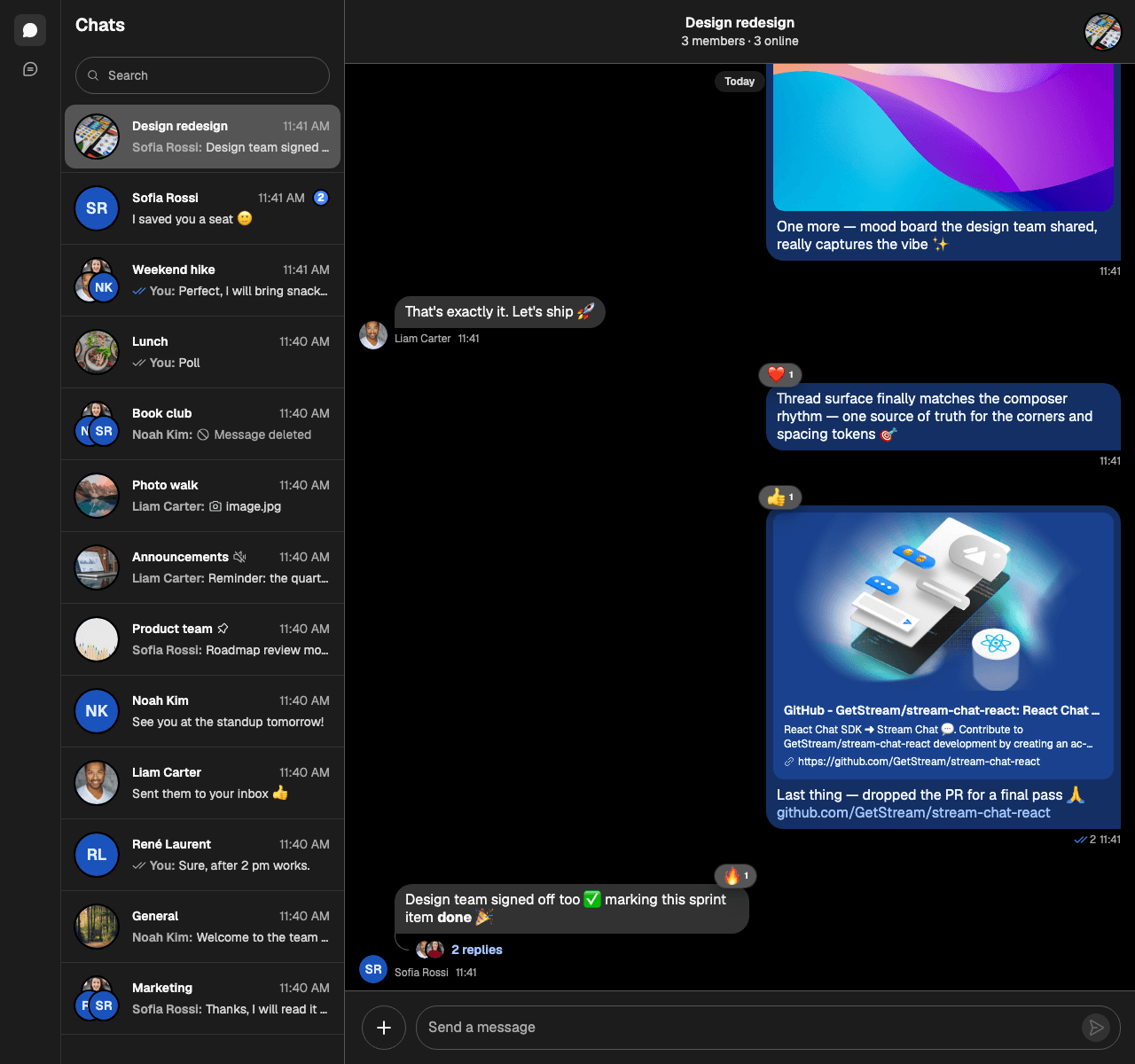
The stylesheet has a dark theme, set by the class `str-chat__theme-dark`. Pass it to `Chat` as `theme`:
```tsx
import { Chat } from "stream-chat-react";
export const App = () => (
{/* the rest of the app */}
);
```
The `theme` classes are added next to `str-chat`, on the same elements: the roots of `ChatView` and `Channel`, the channel list's theme scope, and every modal's overlay. The default, `messaging light`, has no rules in the stylesheet, so it renders the light theme.
Here is the dark theme:
`theme` can change while the app runs. This app follows the system setting:
```tsx
import { useEffect, useState } from "react";
import { Chat } from "stream-chat-react";
const darkQuery = "(prefers-color-scheme: dark)";
const usePrefersDark = () => {
const [prefersDark, setPrefersDark] = useState(
() => window.matchMedia(darkQuery).matches,
);
useEffect(() => {
const query = window.matchMedia(darkQuery);
const onChange = (event: MediaQueryListEvent) =>
setPrefersDark(event.matches);
query.addEventListener("change", onChange);
return () => query.removeEventListener("change", onChange);
}, []);
return prefersDark;
};
export const App = () => {
const prefersDark = usePrefersDark();
return (
{/* the rest of the app */}
);
};
```
### Customizing both themes
The light tokens are declared on `.str-chat`, and the dark theme declares its own on `.str-chat__theme-dark`. Do the same in your overrides: put the light values and anything shared on `.str-chat`, then the dark values on `.str-chat__theme-dark`, after it.
```css
@layer stream-overrides {
/* Light theme, and the shape tokens both themes share */
.str-chat {
--str-chat__radius-max: 8px;
--str-chat__button-radius-full: 6px;
--str-chat__accent-primary: #0d47a1;
--str-chat__chat-bg-outgoing: #1e3a8a;
--str-chat__chat-bg-incoming: #dbeafe;
--str-chat__chat-text-outgoing: #ffffff;
--str-chat__text-link: #1e40af;
--str-chat__background-core-elevation-1: #dbeafe;
--str-chat__background-core-app: #c7dafc;
--str-chat__avatar-bg-default: #bf360c;
--str-chat__avatar-text-default: #ffffff;
}
/* Dark theme. It comes after .str-chat, so it wins where both classes are set. */
.str-chat__theme-dark {
--str-chat__accent-primary: #4a90e2;
--str-chat__chat-bg-outgoing: #1e3a8a;
--str-chat__chat-bg-incoming: #1f2937;
--str-chat__chat-text-outgoing: #e2e8f0;
--str-chat__chat-text-incoming: #e2e8f0;
--str-chat__text-link: #93c5fd;
--str-chat__background-core-elevation-1: #0f172a;
--str-chat__background-core-app: #020617;
--str-chat__avatar-bg-default: #ff7043;
--str-chat__avatar-text-default: #ffffff;
}
}
```
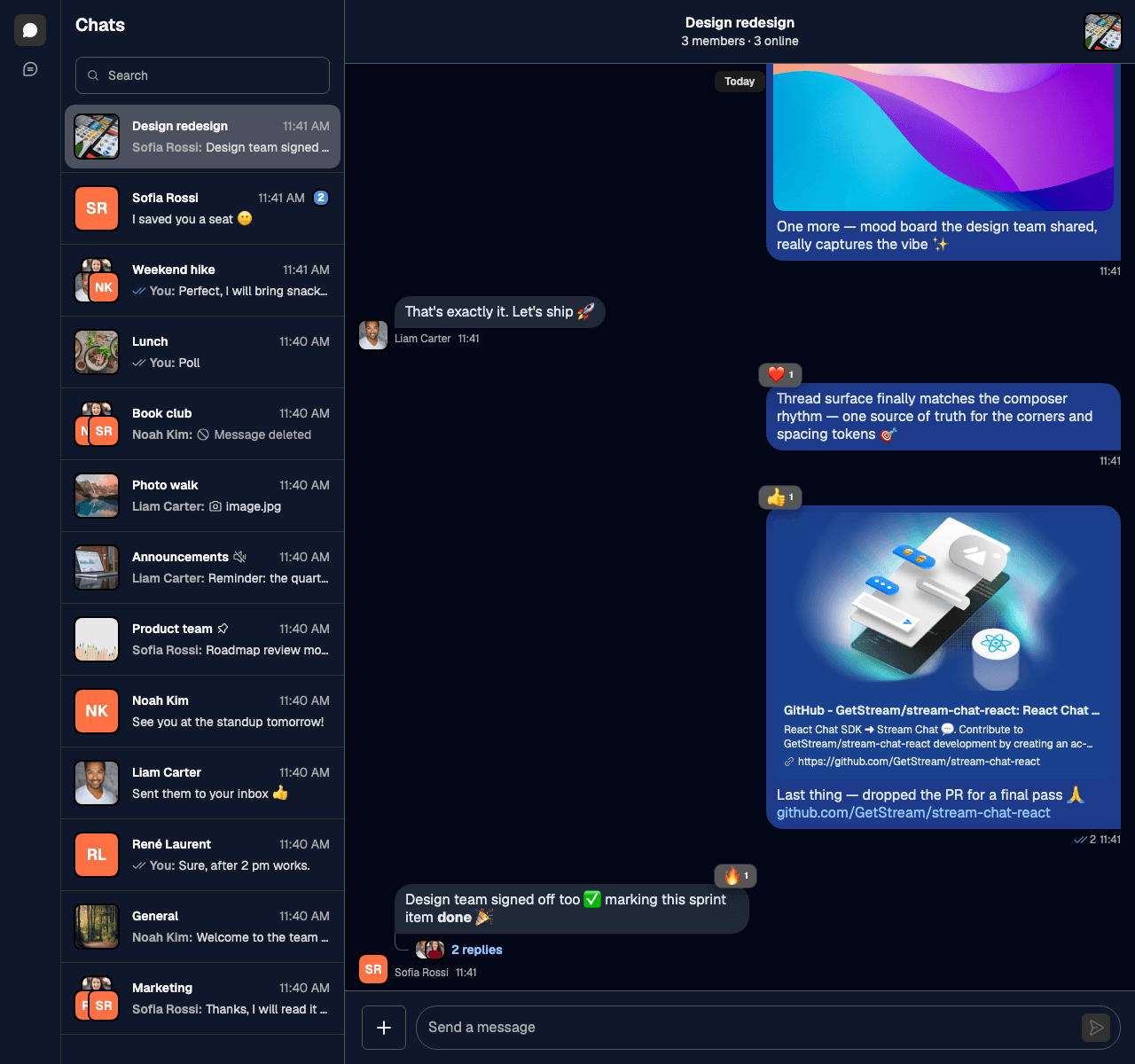
Every token set on `.str-chat` also applies in the dark theme unless the dark block sets it again, because your layer wins over the SDK's dark values. Here is the custom dark theme:
### A dark channel in a light app
To make only the channel dark, add the class to the channel's root through `Chat`'s `customClasses`. A custom class replaces the default one, so keep `str-chat__channel`:
```tsx
import { Chat } from "stream-chat-react";
export const App = () => (
{/* the rest of the app */}
);
```
## Your own themes
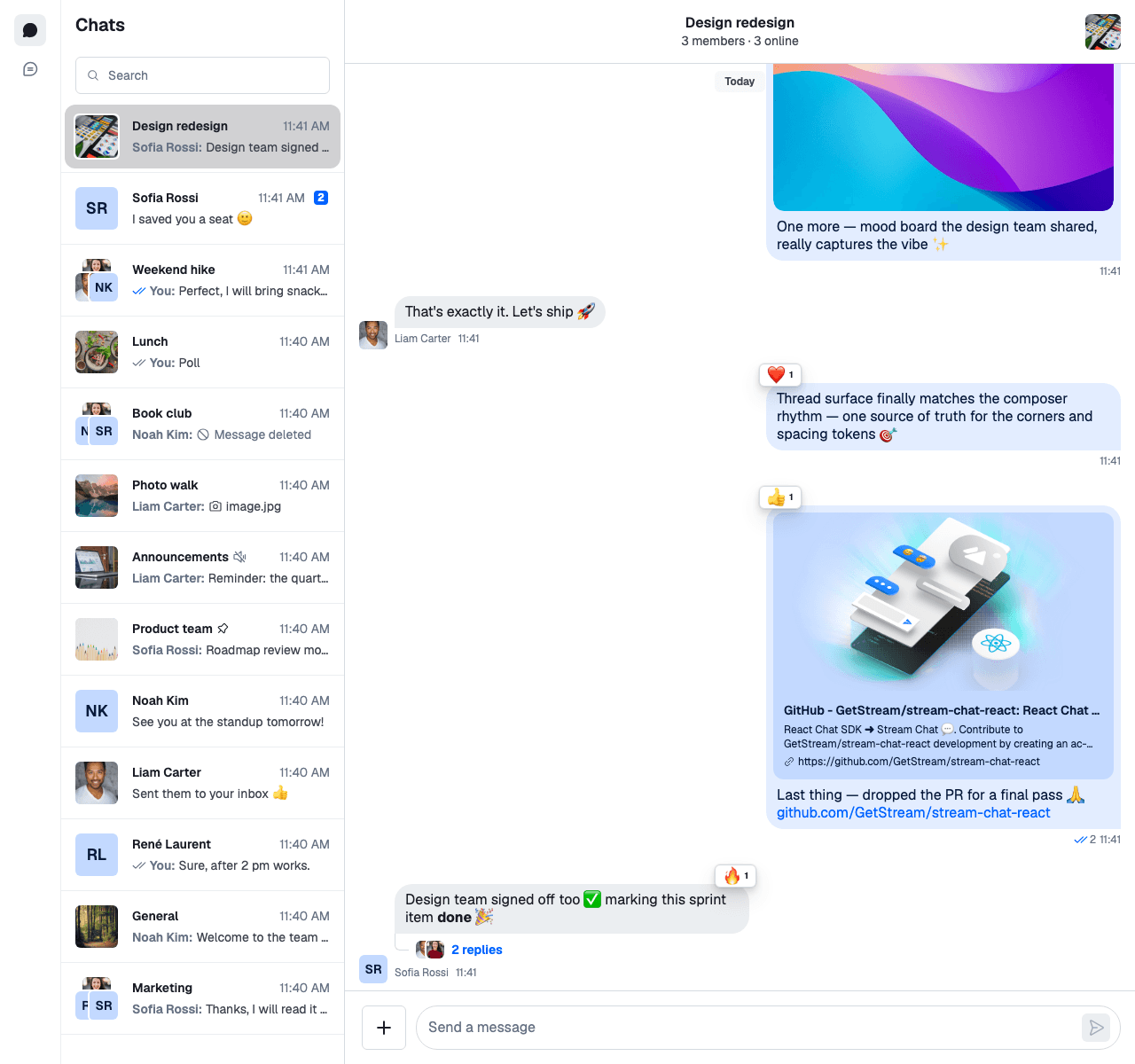
A theme is a class that sets tokens. Define one in your overrides and pass it as `theme`. These two themes change the corner radius:
```css
@layer stream-overrides {
.str-chat__theme-round {
--str-chat__radius-max: 9999px;
--str-chat__button-radius-full: 9999px;
}
.str-chat__theme-square {
--str-chat__radius-max: 6px;
--str-chat__button-radius-full: 6px;
}
}
```
```tsx
import { Chat } from "stream-chat-react";
export const App = () => (
{/* the rest of the app */}
);
```
`theme` takes several classes, so a theme of your own combines with the dark theme: `theme="str-chat__theme-dark str-chat__theme-square"`.
## Right-to-left layouts
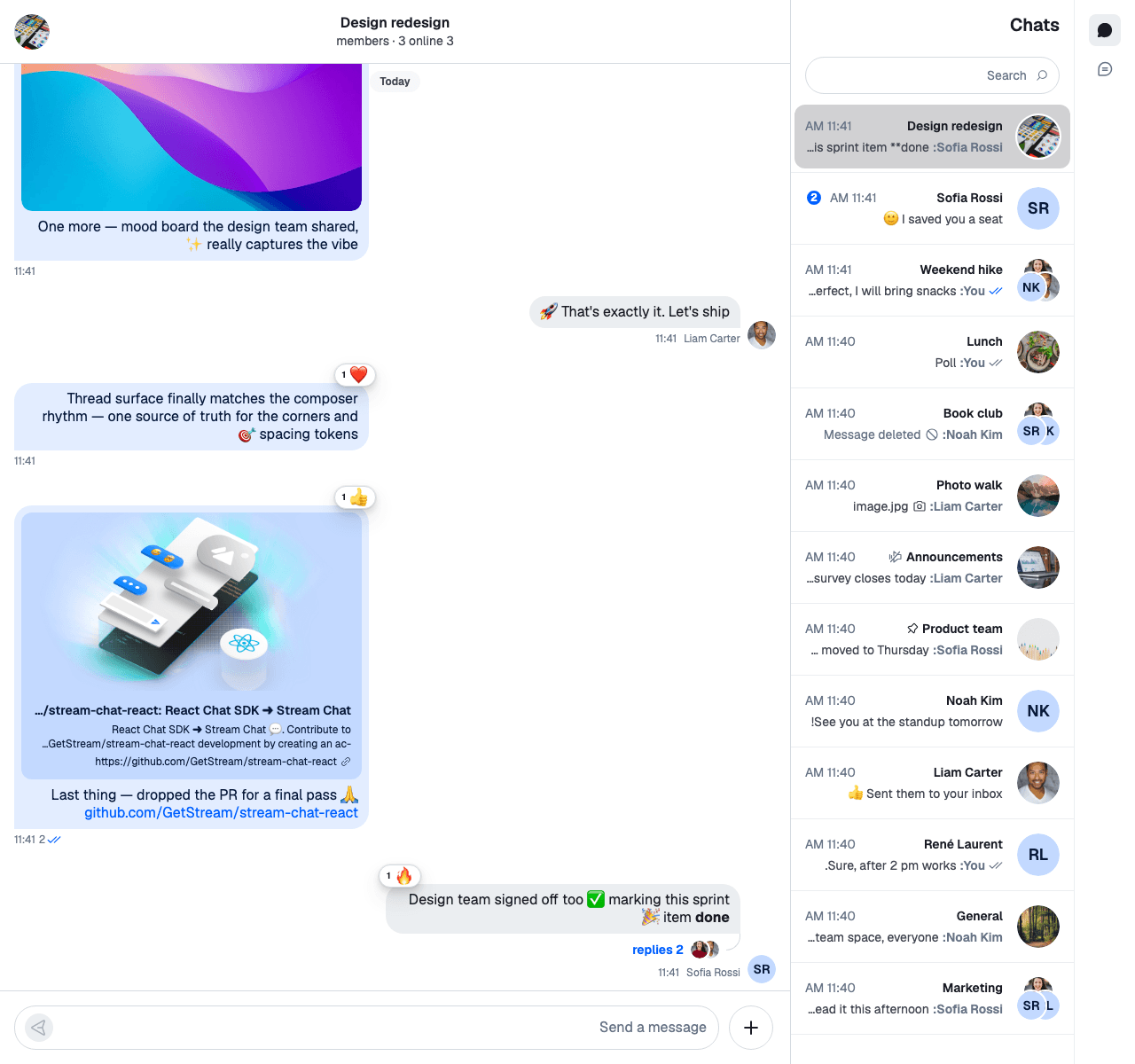
The stylesheet supports right-to-left languages. Set `dir` on your page, or on any element around the chat:
```html
```
The layout mirrors, and so do the icons that point in a direction.
## Used in
- [Quick start](https://getstream.io/chat/docs/sdk/react/v15/getting-started/quick-start/), which imports the default stylesheet.
- [Recipes](https://getstream.io/chat/docs/sdk/react/v15/recipes/overview/): when tokens aren't enough, a recipe replaces the component.
- [AI integrations overview](https://getstream.io/chat/docs/sdk/react/v15/features/ai/ai-integrations-overview/), whose stylesheet goes into a layer like the rest.
## Pitfalls
- **Overriding tokens on a container class.** `Channel`'s root has the class `str-chat` too, and declares every token again, as does the channel list's theme scope outside `ChatView`. A token you set on `.str-chat__chat-view` or on your own wrapper is reset to the default inside the channel, and inside a channel list rendered outside `ChatView`. Set tokens on `.str-chat`, or in a theme class passed as `theme`.
- **Overriding a lower tier on an inner element.** A token built from another one is resolved where it's declared, on `.str-chat`. Setting `--str-chat__brand-500` on `.str-chat__channel-list-item-container` doesn't change `--str-chat__accent-primary` there. Override the token the component reads, or override the palette on `.str-chat`.
- **The dark class on ``.** The light tokens are declared on `.str-chat` itself, so they win over a dark class on an ancestor. Pass `str-chat__theme-dark` as `theme`.
- **Replacing `str-chat` through `customClasses.chat`.** That key replaces the `str-chat` class on `Channel`'s root and on the channel list's theme scope, and the tokens with it. Keep `str-chat` in the value.
- **Mixing layered and unlayered imports.** If the SDK's stylesheet is also imported somewhere without a layer, for example from a component file, that copy beats your layered overrides. Import it in one place.
---
For the most recent version of this documentation, visit [https://getstream.io/chat/docs/sdk/react/v15/ui/customizing/theming/](https://getstream.io/chat/docs/sdk/react/v15/ui/customizing/theming/).