# Native Image Picker
> **Info:** This is documentation for **Stream Chat React Native SDK v6**, which is no longer actively maintained. For up-to-date documentation, see the [latest version (v10)](https://getstream.io/chat/docs/sdk/react-native/).
>
> **Note:** This guide can help you to comply with the new Google Play's [android policy for photo and video permissions](https://support.google.com/googleplay/android-developer/answer/14115180?hl=en).
>
To enable the native image picker, you need to do the following steps and that would provide a native image picker for both iOS and Android.
## Step 1: Uninstall the media library
Uninstall the media library by running the following command(if you have already installed it) else choose not to install it at all as it is a optional dependency.
**RN CLI**
```bash title="Terminal"
yarn remove @react-native-camera-roll/camera-roll
```
**Expo**
```bash title="Terminal"
yarn remove expo-media-library
```
>
> **Note:** On Android, you can now remove the `READ_EXTERNAL_STORAGE` and `WRITE_EXTERNAL_STORAGE` permissions from the `AndroidManifest.xml` file.
>
> Remove the following lines from the `AndroidManifest.xml` file:
>
> ```xml
>
>
> ```
>
## Step 2: Install the native image picker
Install the native image picker by running the following command:
**RN CLI**
```bash title="Terminal"
yarn add react-native-image-picker
```
**Expo**
```bash title="Terminal"
npx expo install expo-image-picker
```
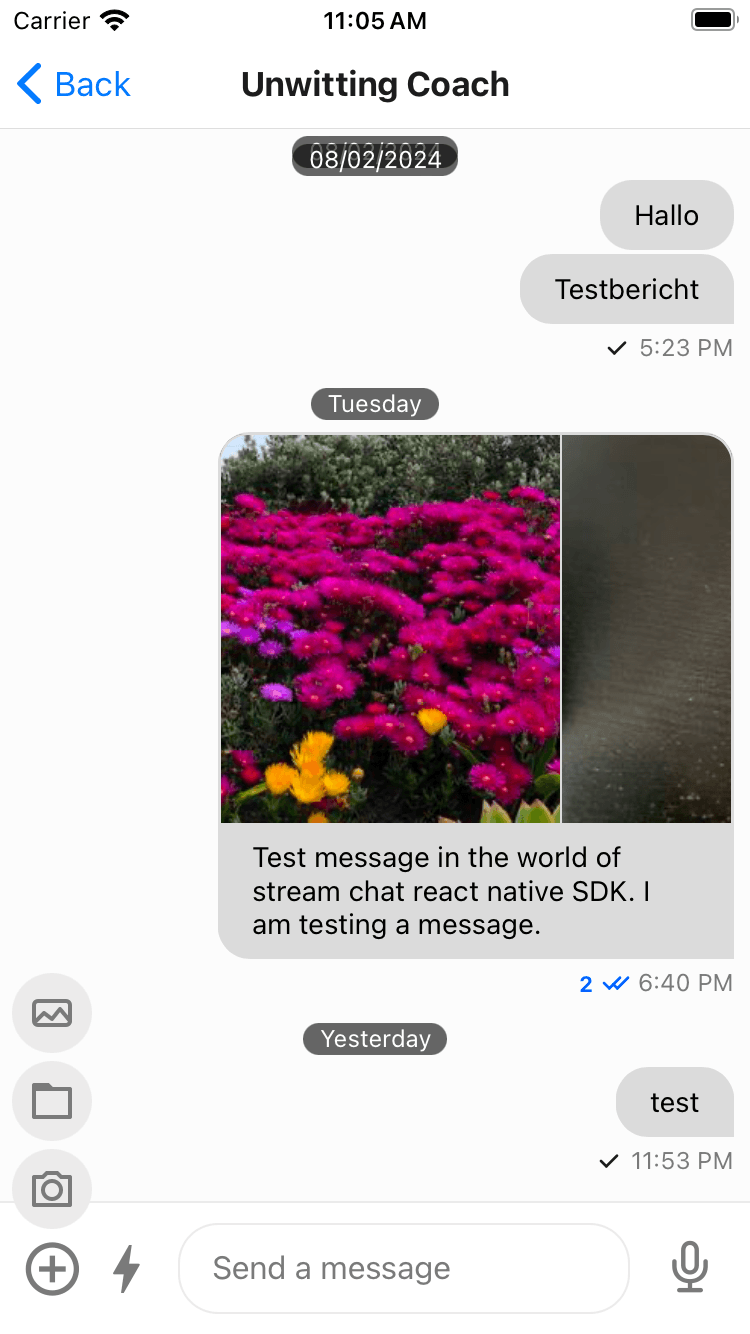
This shall give you a UI to select images from the gallery using native image picker or take a picture from the camera or alternatively select a file.
>
> **Note:** You don't need any permission for the native image picker on Android.
>
>
> **Note:** Please follow the post installation steps as mentioned in the [react-native-image-picker](https://github.com/react-native-image-picker/react-native-image-picker?tab=readme-ov-file#post-install-steps).
>
## Step 3: Add customization(if necessary)
You can customize what happens on clicking the [`AttachButton`](https://getstream.io/chat/docs/sdk/react-native/v6/ui-components/attach-button/) by passing your own `onPress` function to the `handleAttachButtonPress` of the `Channel` component.
```jsx
import { useCallback } from "react";
import { Channel } from "stream-chat-react-native";
const App = () => {
const handleAttachButtonPress = useCallback(async () => {
// Your custom logic here
}, []);
return (
);
};
```
The other alternative is customizing the `AttachButton` component itself.
```jsx
import { AttachButton } from "stream-chat-react-native";
const CustomAttachButton = (props) => {
const { onPress } = props;
const handlePress = async () => {
// Your custom logic here
};
return ;
};
const App = () => {
return ;
};
```
---
For the most recent version of this documentation, visit [https://getstream.io/chat/docs/sdk/react-native/v6/guides/native-image-picker/](https://getstream.io/chat/docs/sdk/react-native/v6/guides/native-image-picker/).