# Polls
> **Info:** This is release candidate documentation for **Stream Chat Angular SDK v8**. For the latest stable version, see the [latest version (v7)](https://getstream.io/chat/docs/sdk/angular/).
The Stream API allows you to create polls and attach them to messages. To know more about the Poll API, read the [JavaScript guide about polls](https://getstream.io/chat/docs/javascript/polls-api/).
This guide shows how to enable poll UI components in the Angular SDK.
## Import polls module
Poll UI components are defined in the `StreamPollsModule`, import this module to the relevant module/component in your application.
```ts
import { StreamChatModule, StreamPollsModule } from "stream-chat-angular";
```
## Register poll subscriptions
For real-time updates initialize poll manager with the `registerSubscriptions` method. You should do this when you're initializing the `chatService`:
```ts
this.chatService.init(apiKey, user, userToken);
this.chatService.chatClient.polls.registerSubscriptions();
```
In case you have a log-out feature in your application, also call `unregisterSubscriptions`:
```ts
this.chatService.disconnectUser();
this.chatService.chatClient.polls.unregisterSubscriptions();
```
## Display poll component
There are two built-in components for displaying polls.
`stream-poll` component is used to display a poll inside the message component:
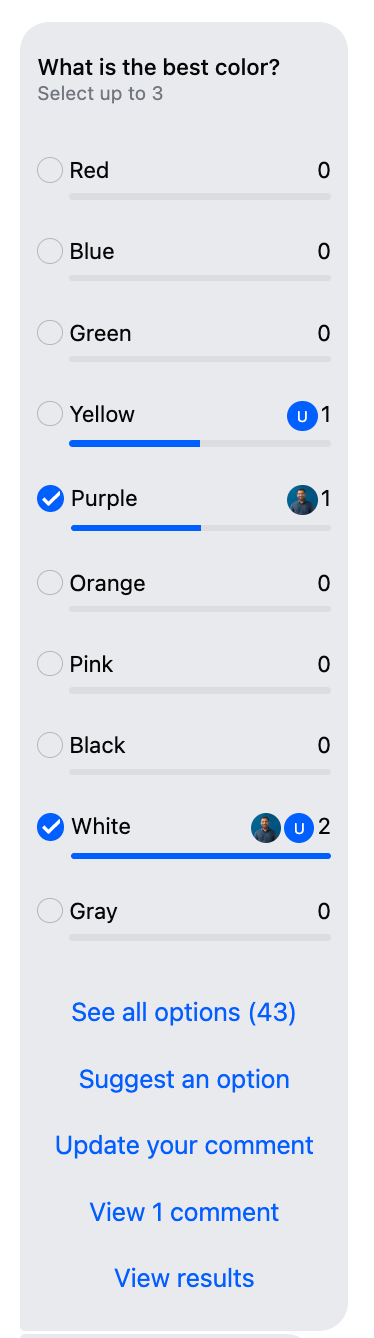
`stream-poll-preview` component is used to display the poll name when a poll is quoted in a message.
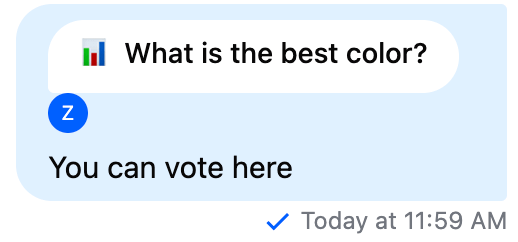
In the component where you display the channel component, you can define the template for poll.
1. Define the template for poll display:
```html
```
2. Register the template in the component class:
```ts
import {
CustomTemplatesService,
} from 'stream-chat-angular';
//Define property for template
@ViewChild('pollTemplate') pollTemplate!: TemplateRef<{
pollId: string;
messageId: string;
isQuote: boolean;
}>;
// Inject CustomTemplatesService into your component
constructor(private customTemplateService: CustomTemplatesService)
ngAfterViewInit(): void {
// Register the template
this.customTemplateService.pollTemplate$.next(this.pollTemplate);
}
```
## Display poll composer component
First, let's enable the "add poll" button in the message input component:
```html
```
The button is only displayed if the logged-in user has the `send-poll` capability, so you don't have to worry about authorization.
Please note that polls are not supported for thread messages, so enabling `displayPollCreateButton` for `thread` inputs has no effect.

The next step is to define the poll composer template.
1. Define the template for poll composer:
```html
```
2. Register the template in the component class:
```ts
import {
CustomTemplatesService,
} from 'stream-chat-angular';
//Define property for template
@ViewChild('pollComposerTemplate')
pollComposerTemplate!: TemplateRef<{
pollCompose: (pollId: string) => void;
cancel: () => void;
}>;
// Inject CustomTemplatesService into your component
constructor(private customTemplateService: CustomTemplatesService)
ngAfterViewInit(): void {
// Register the template
this.customTemplateService.pollComposerTemplate$.next(
this.pollComposerTemplate
);
}
```
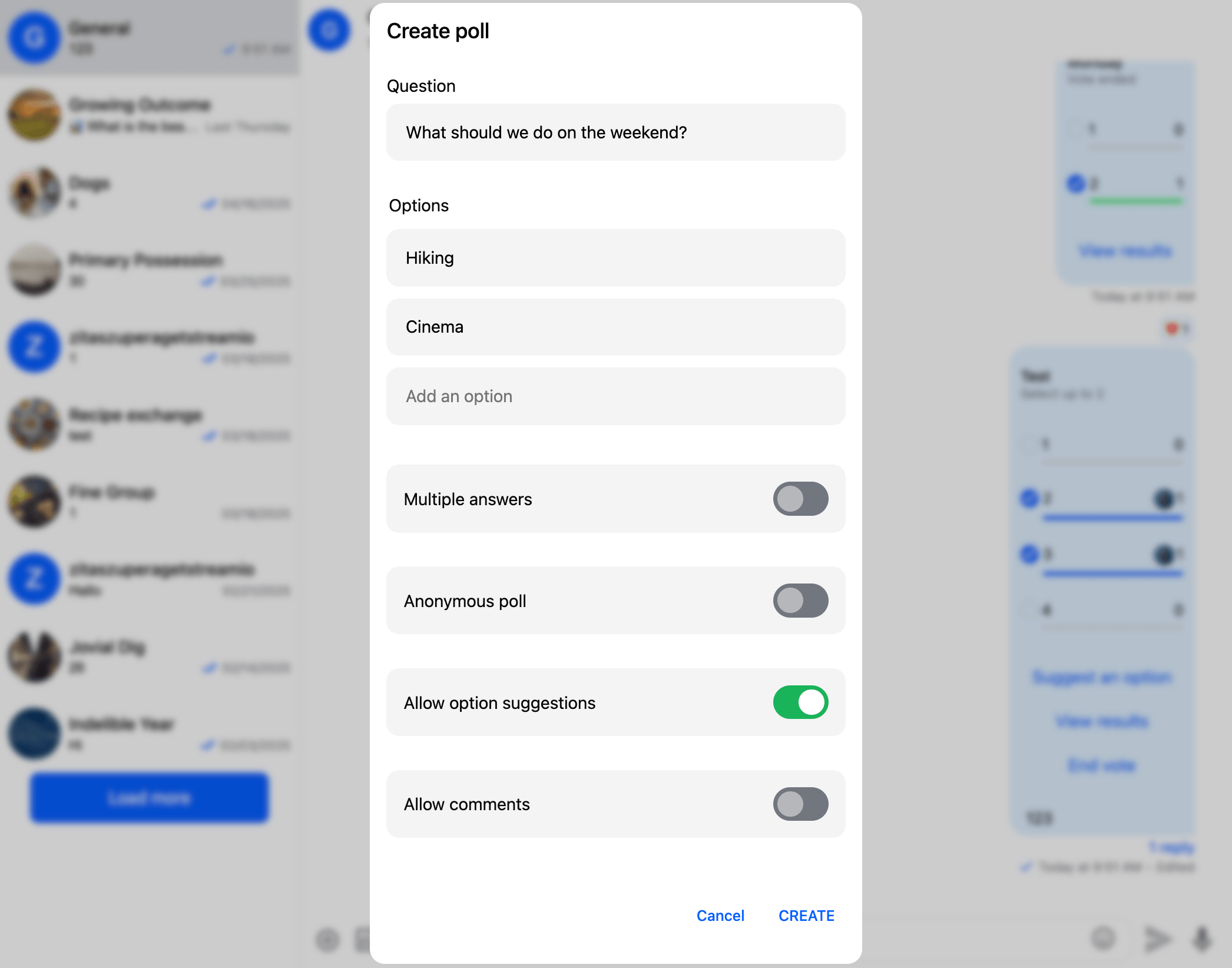
This is how the poll composer component looks like:
## Working example
If you want to try polls with Angular SDK, visit the [demo application](https://angular-chat-demo-getstreamio.vercel.app/).
For a working code example check out the sample application:
- [Importing polls module](https://github.com/GetStream/stream-chat-angular/blob/master/projects/sample-app/src/app/app.module.ts)
- [Defining poll templates](https://github.com/GetStream/stream-chat-angular/blob/master/projects/sample-app/src/app/app.component.html)
- [Register poll templates](https://github.com/GetStream/stream-chat-angular/blob/master/projects/sample-app/src/app/app.component.ts)
## Customizations
Since there is no default UI for polls, you can easily replace the built-in components with your own custom components.
For additional customization granularity, the `stream-poll` component is made up of three smaller components:
- Header
- Option list
- Actions
You can overwrite these parts of the component with your own components.
```html
```
You can find the documentation for all built-in poll components in the "Components" chapter, you can use these components as building blocks to create your own custom UI.
The poll components work with the `stream-chat` v10 poll types: options are `PollOptionResponseData`, votes and answers are `PollVoteResponseData`, `VotingVisibility` is a string union (`'anonymous' | 'public'`) and poll dates are `TimestampNS` values (convert them with `nsToDate`). If you're upgrading from v7, see the [migration guide](https://getstream.io/chat/docs/sdk/angular/v8/basics/upgrade-to-v8/#polls) for details.
---
For the most recent version of this documentation, visit [https://getstream.io/chat/docs/sdk/angular/v8/code-examples/polls/](https://getstream.io/chat/docs/sdk/angular/v8/code-examples/polls/).